I Switched My Local Copilot From llama.cpp to vLLM — 2× VRAM for 50% Faster Completions
I swapped llama.cpp for vLLM on my local code completion setup. 49% faster generation, 36% lower latency — but 2× the VRAM. Here's what I gained, what it cost, and the gritty install details.
This is part 2 of a series. Part 1: I Built a Copilot Clone in Neovim With a 1.5B Model on a Laptop GPU
A few weeks ago I wrote about running Qwen2.5-Coder-1.5B locally with llama.cpp for Neovim code completions. The setup worked: 49 tokens/second, roughly 3 GB VRAM, no internet needed. For a daily driver, it was good enough.
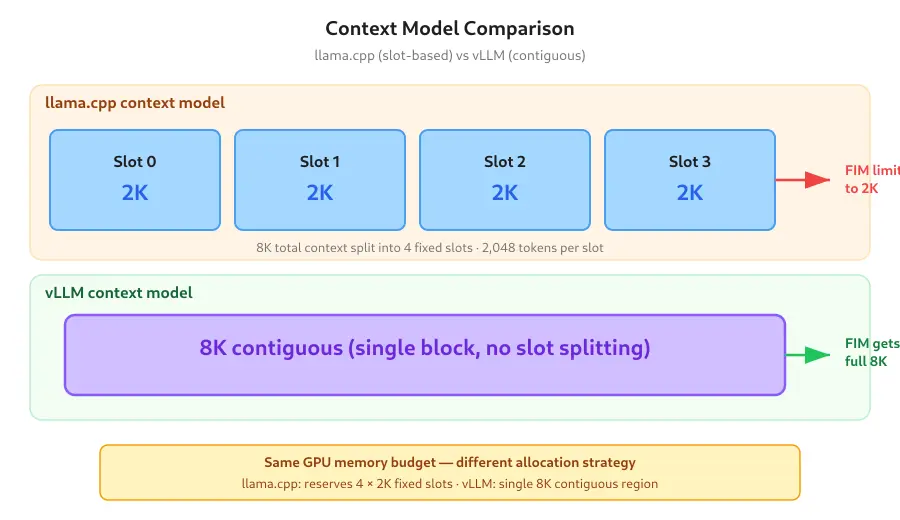
But the slot limit bugged me. llama.cpp splits the context window across parallel slots, so with --parallel 4 and -c 8192, each request only got 2,048 tokens. If I was editing a large file, Minuet’s context_window setting had to stay conservatively low to avoid hitting the slot boundary. I wanted the full 8K context contiguous — and I wanted to see if a production-grade inference server would make the completions snappier.
So I swapped llama.cpp for vLLM — the same model, the same NVIDIA RTX 4060 laptop GPU, the same Neovim config. Here’s what actually changed.
The Switch
The migration boiled down to three things:
- Installation:
uv tool installinstead of compiling llama.cpp from source - No model conversion: vLLM loads HuggingFace safetensors directly. The GGUF conversion step is gone.
- API compatibility: vLLM speaks the same OpenAI-compatible
/v1/completionsAPI, but it doesn’t support thesuffixparameter yet (PR #9522 is still open). I had to adjust the FIM prompt construction.
Let me start at the beginning.
Installing vLLM With uv
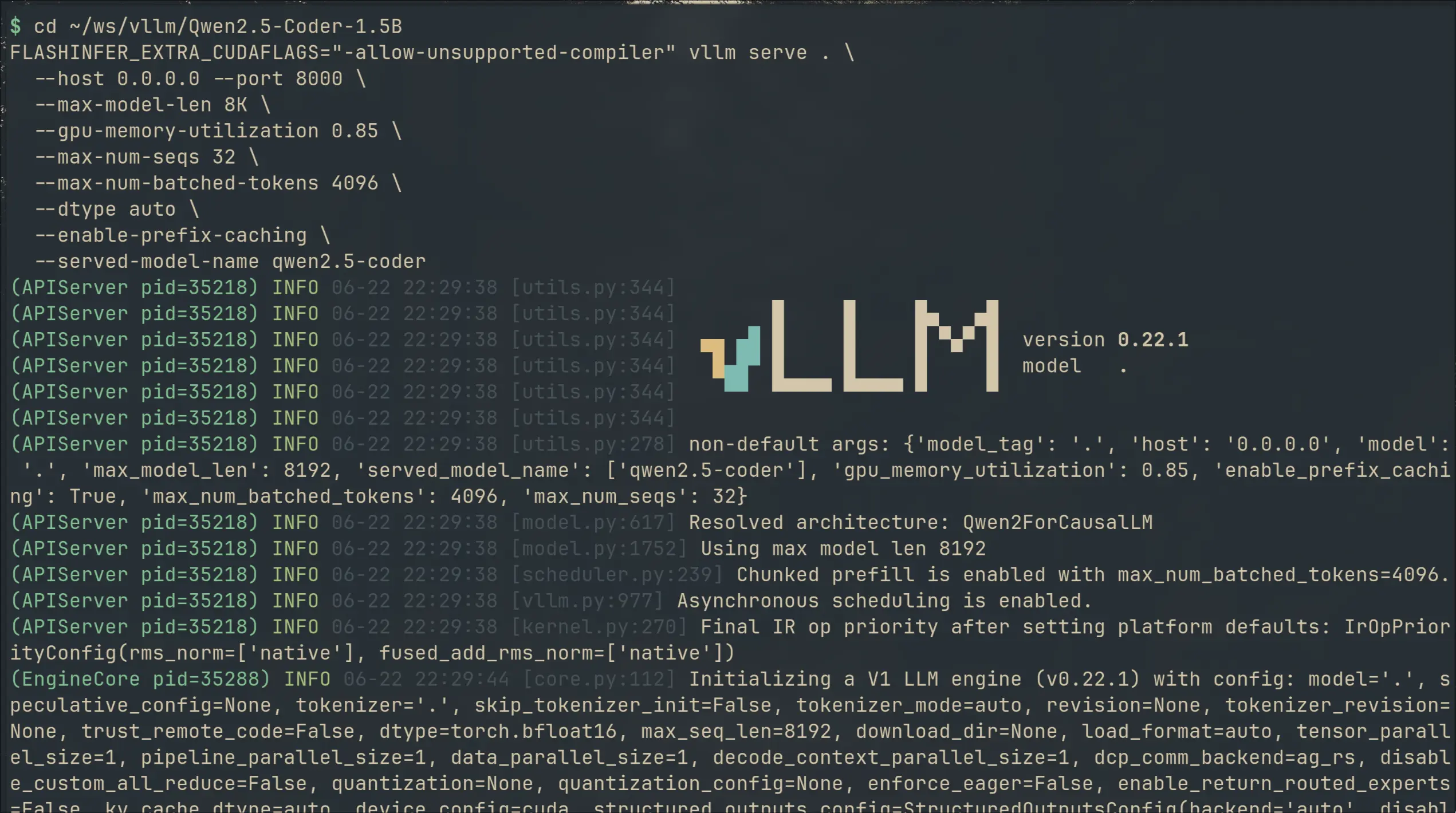
I use uv for Python tool management. The install command that worked:
uv tool install vllm \
  --with "fastapi<0.137" \
  --torch-backend=cu130
Three flags, three reasons:
| Flag | Purpose |
|---|---|
--with "fastapi<0.137" | FastAPI 0.137+ introduced _IncludedRouter — a new route type that breaks the prometheus instrumentation middleware vLLM depends on. The result is a 500 error on every request with '_IncludedRouter' object has no attribute 'path'. Pinning below 0.137 avoids this entirely. |
--torch-backend=cu130 | uv’s shorthand for “fetch PyTorch wheels built for CUDA 13.0”. My system runs CUDA 13.3. This ensures the torch binaries match the installed CUDA toolkit. |
uv tool install | Installs vLLM as an isolated, globally-accessible tool. No virtualenv to activate. Just vllm serve ... from anywhere. |
The first run reveals a reality of modern PyTorch-serving infrastructure: torch.compile kicks in and burns about 8 seconds of GPU time compiling CUDA graphs for the model architecture.
The FastAPI Bug That Would Have Stumped Me
When I first ran vllm serve, the server started fine but every API call returned:
'_IncludedRouter' object has no attribute 'path'The server process was alive. The model was loaded. But the prometheus metrics middleware was crashing on every request because FastAPI 0.138.0 changed how routes are resolved internally.
The fix (pinning FastAPI below 0.137 with --with "fastapi<0.137") is now upstream in vLLM’s requirements as of PR #45594, but the released v0.22.1 wheel doesn’t include it yet. If you install today — pin fastapi.
This is the kind of bug that makes you question whether the switch was worth it — five minutes in and the server is broken? But once past it, vLLM ran without a hitch for days.
The GCC 16 Problem (Also Fixed by a Flag)
One more install-era surprise: nvcc refused to compile FlashInfer’s JIT kernels because my system GCC is at version 16 and the CUDA toolkit only officially supports up to GCC 15.
The fix is a single environment variable:
export FLASHINFER_EXTRA_CUDAFLAGS="-allow-unsupported-compiler"FlashInfer’s JIT build system reads this variable and appends it to the nvcc command line. The compiler flag tells nvcc to ignore the version check. It compiles fine — CUDA 13.3 handles GCC 16 code generation without issue.
I wrapped this in the serve script so I never forget:
export FLASHINFER_EXTRA_CUDAFLAGS="-allow-unsupported-compiler"

vllm serve /home/dipankardas/ws/vllm/Qwen2.5-Coder-1.5B \
  --host 0.0.0.0 --port 8000 \
  --max-model-len 8K \
  --gpu-memory-utilization 0.85 \
  --max-num-seqs 32 \
  --max-num-batched-tokens 4096 \
  --dtype auto \
  --enable-prefix-caching \
  --served-model-name qwen2.5-coder
FIM Without the suffix Parameter
Here’s the key difference from the llama.cpp setup. llama.cpp’s /v1/completions supports both prompt and suffix fields — you send prefix and suffix separately, the server internally constructs the FIM input using the model’s native tokens.
vLLM’s /v1/completions does not accept a suffix parameter (yet). So the FIM prompt must be constructed client-side and sent as a single prompt string:
<|fim_prefix|>{code_before_cursor}<|fim_suffix|>{code_after_cursor}<|fim_middle|>For Minuet AI, this means overriding the FIM template function:
require("minuet").setup({
    provider = "openai_fim_compatible",
    -- ... other config ...
    provider_options = {
        openai_fim_compatible = {
            api_key = "TERM",
            name = "vLLM-Qwen",
            end_point = "http://127.0.0.1:8000/v1/completions",
            model = "qwen2.5-coder",
            stream = true,
            template = {
                prompt = function(context_before_cursor, context_after_cursor, _)
                    return "<|fim_prefix|>"
                        .. context_before_cursor
                        .. "<|fim_suffix|>"
                        .. context_after_cursor
                        .. "<|fim_middle|>"
                end,
                suffix = false, -- vLLM doesn't support the suffix param
            },
            optional = {
                max_tokens = 64,
                top_p = 0.9,
                temperature = 0.1,
                stop = { "<|im_end|>", "<|endoftext|>" },
            },
        },
    },
})
The suffix = false is critical — it prevents Minuet from sending a separate suffix field in the request body, which vLLM would silently drop anyway.
Benchmark: vLLM vs llama.cpp
I ran the same FIM completion request (def is_prime(n): — 13 prompt tokens, 50 max generation tokens) against both backends on the same hardware after warming them up.
Hardware: NVIDIA GeForce RTX 4060 Laptop GPU (8,188 MiB), AMD Ryzen AI 9 HX 370
| Metric | llama.cpp (GGUF f16) | vLLM (safetensors) | Δ |
|---|---|---|---|
| VRAM usage | ~3.1 GB | ~6.6 GB | +113% |
| Generation speed | ~49 tok/s1 | ~73 tok/s2 | +49% |
| Request latency (50 gen tokens) | ~1,070 ms3 | ~680 ms4 | −36% |
| Context model | 4 × 2K slots5 | 8K contiguous | — |
| Prefix caching | No | Yes | — |
| Model load time | ~1-2 s (GGUF mmap) | ~0.5 s (safetensors) | faster |
| First-run compilation | None | ~8 s (torch.compile) | — |
The headline numbers: vLLM is 49% faster in raw generation throughput and cuts request latency by 36%. But it more than doubles VRAM consumption — from 3.1 GB to 6.6 GB.
On an 8 GB GPU, that changes the math significantly.
What the VRAM Difference Means
The llama.cpp setup left ~4.7 GB of free VRAM. I could run the completion server alongside other GPU workloads — perhaps a second model for chat, or image generation.
The vLLM setup leaves ~1.2 GB of free VRAM. That’s enough for the desktop compositor and a browser tab, but not much else. Running CodeCompanion for chat on the same GPU simultaneously is no longer viable — I’d need a second server on a different port, and there’s simply no room.
vLLM trades VRAM for speed and features:
- Continuous batching — vLLM dynamically batches requests that arrive concurrently, rather than assigning fixed slots. This improves throughput under load but requires GPU memory for the dynamic scheduler.
- torch.compile — the model goes through torch’s inductor compiler for CUDA graph capture. This is what enables the faster generation, but it also pins additional GPU memory for captured graphs.
- KV cache — 8K contiguous context uses a contiguous KV cache allocation rather than the fragmented slot-based approach in llama.cpp. More efficient under load, but the allocation is larger up-front.
- Prefix caching — vLLM caches KV cache entries for repeated prefix tokens. In my testing, ~32% of prefix tokens were cache hits. This doesn’t reduce baseline VRAM, but it reduces per-request latency for repeated edits.
Whether the tradeoff is worth it depends entirely on your VRAM budget:
| Scenario | Recommendation |
|---|---|
| 8 GB GPU, completion only | vLLM works, but you’re at 85% VRAM utilization |
| 8 GB GPU, completion + chat | Stay with llama.cpp — you need the headroom |
| 12 GB GPU | vLLM is the clear winner |
| 16+ GB GPU | vLLM, and you can serve multiple models |
Where vLLM Shines
The speed improvement is real. The 73 tok/s generation makes completions feel snappier — the ghost text appears sooner, and the difference is noticeable in the typing flow.
But the contiguous 8K context is the bigger win for my workflow. Minuet’s context_window can now be set to 8000 characters (approximately 2,000 tokens when accounting for the FIM formatting overhead) without worrying about slot limits. Large files — a 600-line Go source, a Terraform module with nested blocks — get completions that actually see the full function, not a truncated view.
Where It Still Falls Short
vLLM doesn’t solve the fundamental limitations of a 1.5B model:
- Multi-line completions still degrade past 5-8 lines
- No project-wide context — only the current buffer
- Rare API knowledge remains weak
And it introduces new limitations:
- Higher VRAM means less flexibility on consumer GPUs
- First-run latency — torch.compile takes ~8 seconds before the first completion
- FastAPI compatibility dance — the pinning workaround is brittle
- FIM without
suffix— works, but the client-side template construction is more manual
The Verdict
I’m keeping vLLM as my daily driver — for now. The speed and contiguous context make the day-to-day editing experience better. Completions appear faster and see more of the file.
But I’m watching GPU memory. At 85% utilization, there’s no headroom. If I start hitting OOM errors during regular development — or if I want to run a second model for chat — I’ll switch back to llama.cpp without hesitation.
The choice between these backends isn’t about which is “better.” It’s about what your hardware can afford. llma.cpp is the practical choice for 8 GB GPUs. vLLM is the performance choice for cards with headroom.
Both run the same model. Both work with the same Neovim config. Both keep your code on your machine.
The difference is 3.5 GB of VRAM — and whether you can spare it.
The model is Qwen2.5-Coder-1.5B on HuggingFace. The server is vLLM. The Neovim client is Minuet AI. Package management by uv.
Read the first post in this series: I Built a Copilot Clone in Neovim With a 1.5B Model on a Laptop GPU
Footnotes
-
Measured at
predicted_per_second: 49.06in the blog post benchmark. ↩ -
Steady-state after warmup, averaged across 4 requests at
max_tokens=50. ↩ -
Generation time only: 50 ÷ 49 tok/s. Prompt processing is ~50 ms extra. ↩
-
End-to-end time for 50 tokens, including prompt processing and localhost network (steady-state). ↩
-
8,192 total context split into 4 slots of 2,048 tokens each. ↩

Other posts

Why an AI Agent Session Is More Than a JSONL File
↗How Infai evolved its AI agent session store from a simple JSONL log into a durable, branchable, lazy-loaded, and compactable timeline.
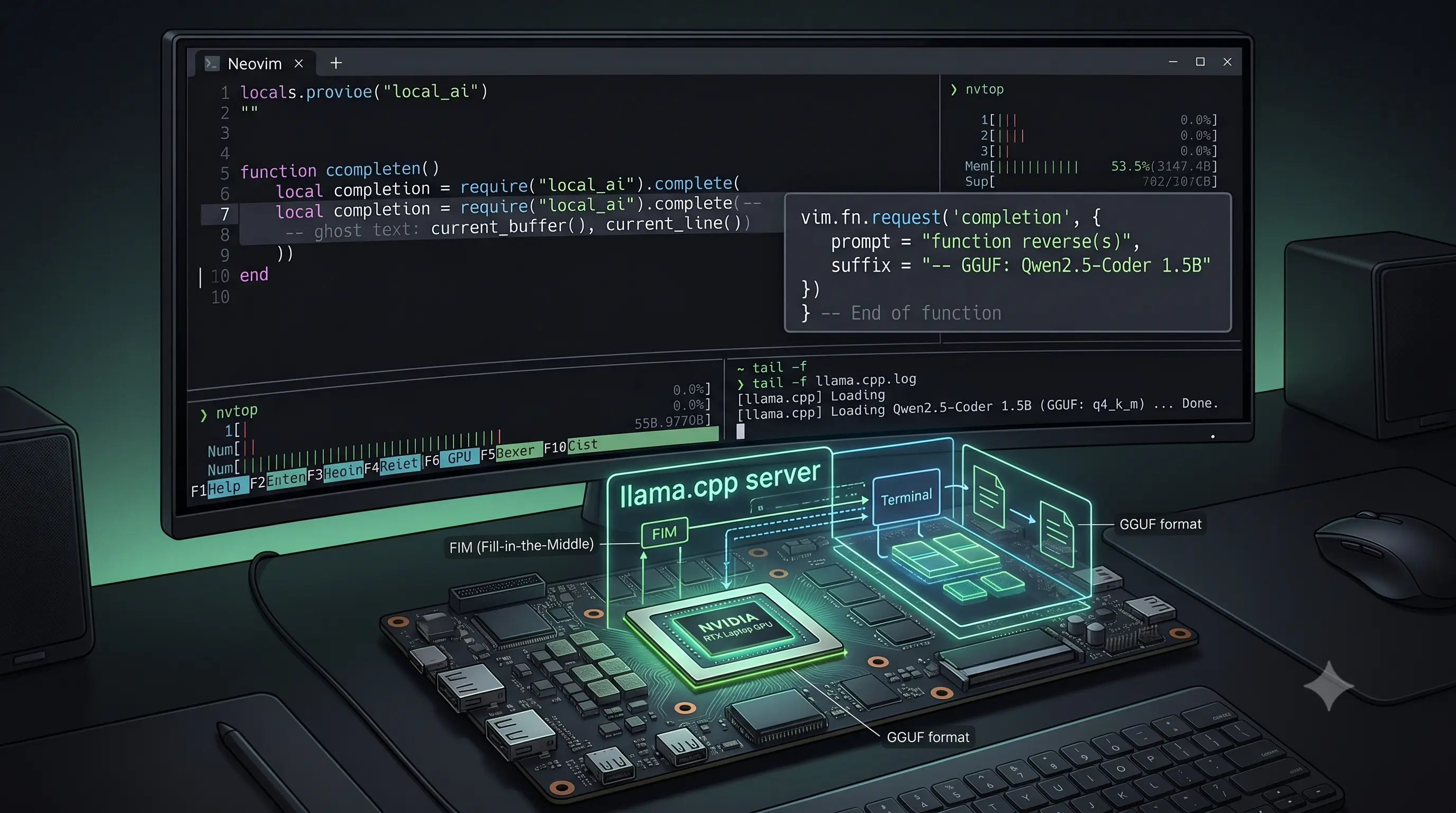
I Built a Copilot Clone in Neovim With a 1.5B Model on a Laptop GPU
↗Using Qwen2.5-Coder-1.5B with llama.cpp and Minuet AI to get Fill-in-the-Middle code completions in Neovim — no subscription, no telemetry, running on a laptop GPU.

Building My First SaaS: Kubmin in the AI Agent Era
↗What building Kubmin taught me about SaaS system design, observability, deployment, queues, auth, and using AI agents without losing ownership.